
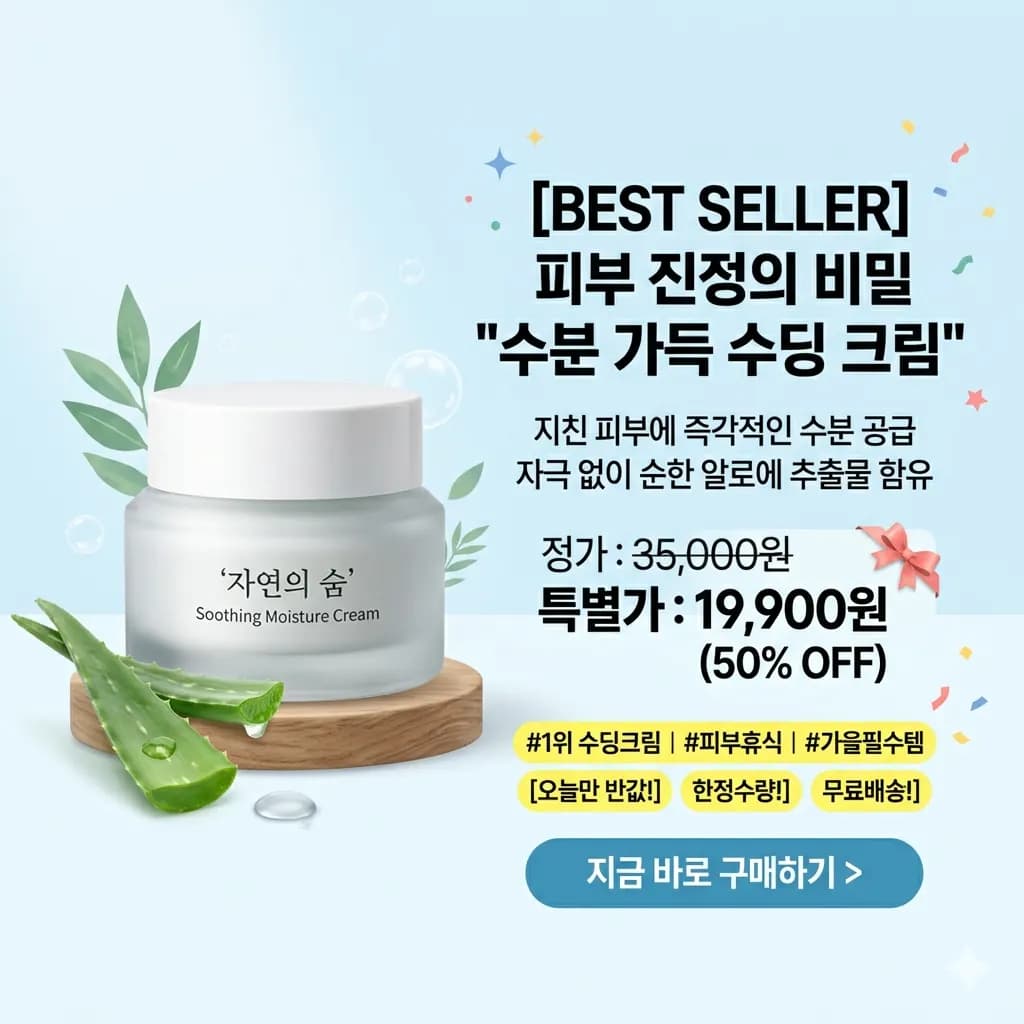
Product image translated to English
Translate ecommerce images, package labels, badges, and product callouts into an English visual reference.
Upload a saved picture, paste an image from your clipboard, or use a direct image URL. Translate its text to English and download the translated picture.
Sign in to use one-time trial credits. Preview names, numbers, and small text before downloading.
JPG وPNG وWebP حتى 10MB. ترجم لقطات الشاشة والمانغا والقوائم وصور المنتجات مع الحفاظ على التخطيط.
Translate ecommerce images, package labels, badges, and product callouts into an English visual reference.
Avoid steep angles so menus, signs, and posters keep readable lines.
Reflections on laminated menus or signs can hide critical words.
A tight crop helps prices, dates, arrows, and instructions stay connected.
Use translated image output when the position of a label, price, arrow, or caption helps explain its meaning. English text is rendered near the original areas where possible; dense text and complex backgrounds can still need review.
Translate pictures saved from web pages, apps, messages, or social platforms.
Translate product claims, badges, labels, and ecommerce visuals.
Understand travel signs, restaurant menus, notices, and public text.
Translate UI text, chat captures, browser images, and game screens.
Upload the saved file from your phone or computer, paste a copied image, or enter a direct image URL. A web page link is not an image file.
Crop away unrelated background and keep the full line of text. Use the original file when a messaging app or social preview has made the letters blurry.
Sign in, keep English selected as the target, and start the translation. Use image output when you want a downloadable translated picture.
Compare the result with the original. Check prices, dimensions, dates, names, and text near the edges before saving the translated image.
Use translated image output when the position of a label, price, arrow, or caption helps explain its meaning. English text is rendered near the original areas where possible; dense text and complex backgrounds can still need review.
If you only need the original words as copyable text, use the free OCR tool. Extracting source text and translating it into English are separate tasks.
Images are processed temporarily and deleted after 24 hours.
Upload a clear picture or paste a copied image, sign in, select English as the target, and start translation. Review the preview and download the translated image.
Yes. Use a direct URL that opens an image file. A product page, social post, or other web page URL is not a direct image URL. If the image cannot be fetched, save it and upload the file instead.
Signed-in users receive one-time trial credits for translation. Larger workloads require additional credits or a membership. The separate free OCR tool extracts source text without translating it.
Yes. Upload saved pictures or camera photos with readable text.
The tool tries to keep translated text near the original placement and visual context.
Yes. For screenshots, the dedicated screenshot translator may provide more focused guidance.
Clear pictures with readable printed text and enough contrast work best.
Copy the source text when you do not need translation or an English image.
Open toolPrepare app screens, chat messages, and game dialogs for translation.
Open toolKeep dish names, descriptions, and prices together.
Open toolReview dimensions, specifications, labels, and listing graphics.
Open tool