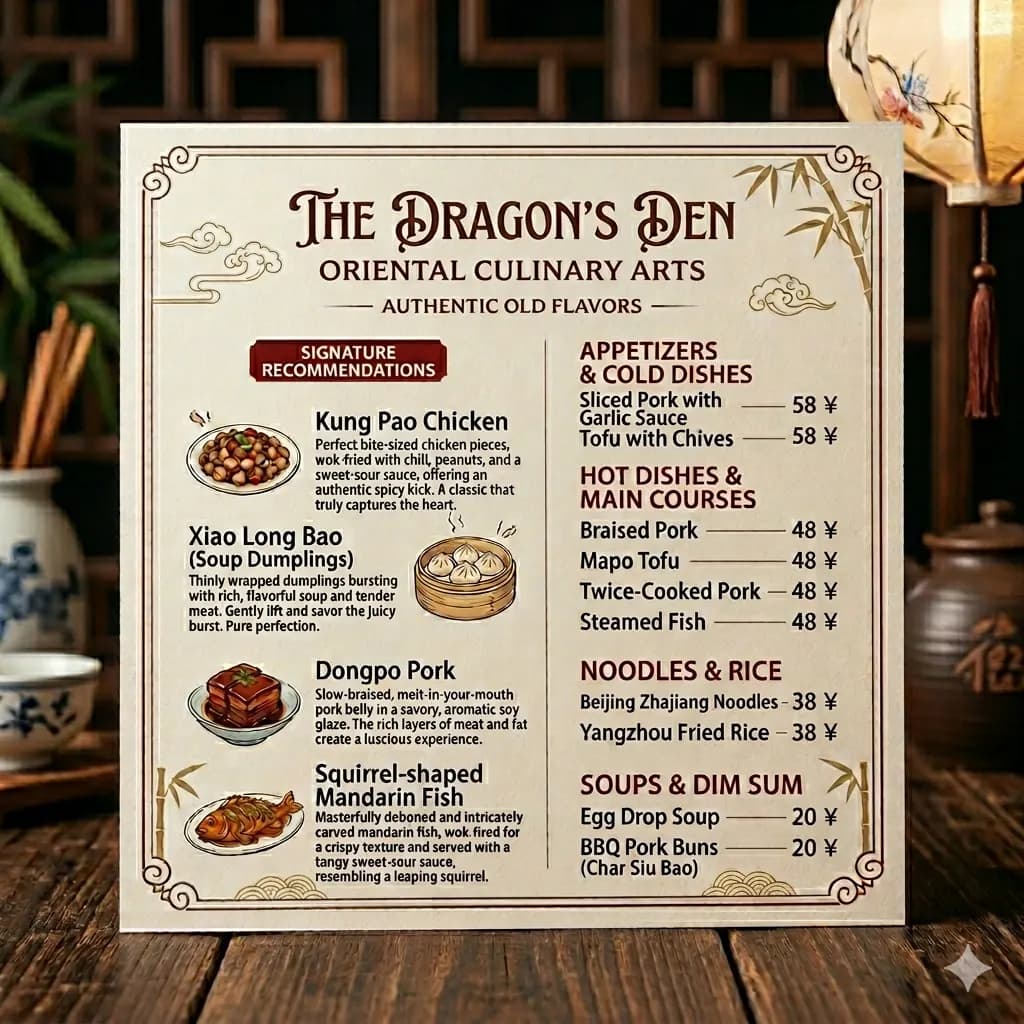
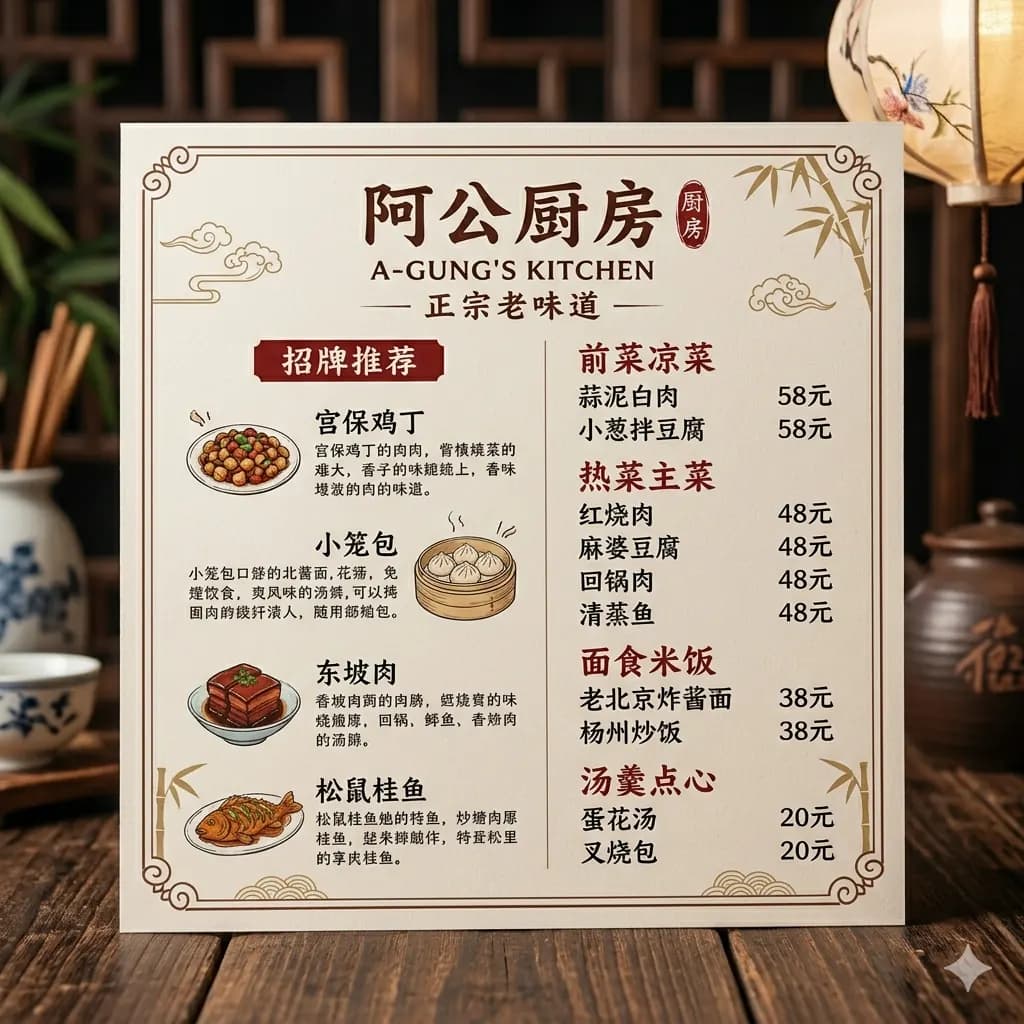
Photo text translated to English
Translate signs, menus, labels, and everyday camera photos while preserving sections and nearby context.
Upload a photo with visible text and get an English translated image that keeps the original visual context readable.
Use it for travel, shopping, menus, signs, packages, notices, posters, and everyday photos.
JPG, PNG, WebP up to 10MB. Translate screenshots, manga pages, menus, and product images without losing layout.
Translate signs, menus, labels, and everyday camera photos while preserving sections and nearby context.
Avoid steep angles so menus, signs, and posters keep readable lines.
Reflections on laminated menus or signs can hide critical words.
A tight crop helps prices, dates, arrows, and instructions stay connected.
A photo translator should do more than return plain text. It should keep translated words connected to the object, sign, menu item, or label they describe.
Translate signs, menus, station notices, posters, and local instructions.
Translate package labels, product claims, shelf tags, and ingredients.
Keep dish names, descriptions, sections, and prices visually connected.
Understand any clear photo with readable text and useful visual context.
Use a straight, well-lit photo of the menu, sign, poster, label, or public notice.
Remove busy background so the text, prices, arrows, or date details stay readable.
The result keeps English text near the original item, sign, section, or poster area.
Save the translated image when you need to compare dishes, instructions, warnings, or event details.
A photo translator should do more than return plain text. It should keep translated words connected to the object, sign, menu item, or label they describe.
For best results, use sharp photos with enough light and crop out unrelated background when text is small.
Images are processed temporarily and deleted after 24 hours.
Upload a clear photo with visible text, then preview and download the English translated result.
Yes. Menu photos are a strong use case because layout helps keep dishes and prices readable.
Yes. Sign photos work well when text is sharp and not blocked.
Yes. OCR extracts text, while this workflow translates text and keeps visual context in the image.
Images are processed temporarily and deleted after 24 hours.
Translate photos, pictures, screenshots, and image files into English.
Open toolTranslate image text online while preserving the original layout.
Open toolDetect image text and translate it with visual context.
Open toolCompare OCR, quick lookup, and layout-preserved image translation.
Open tool