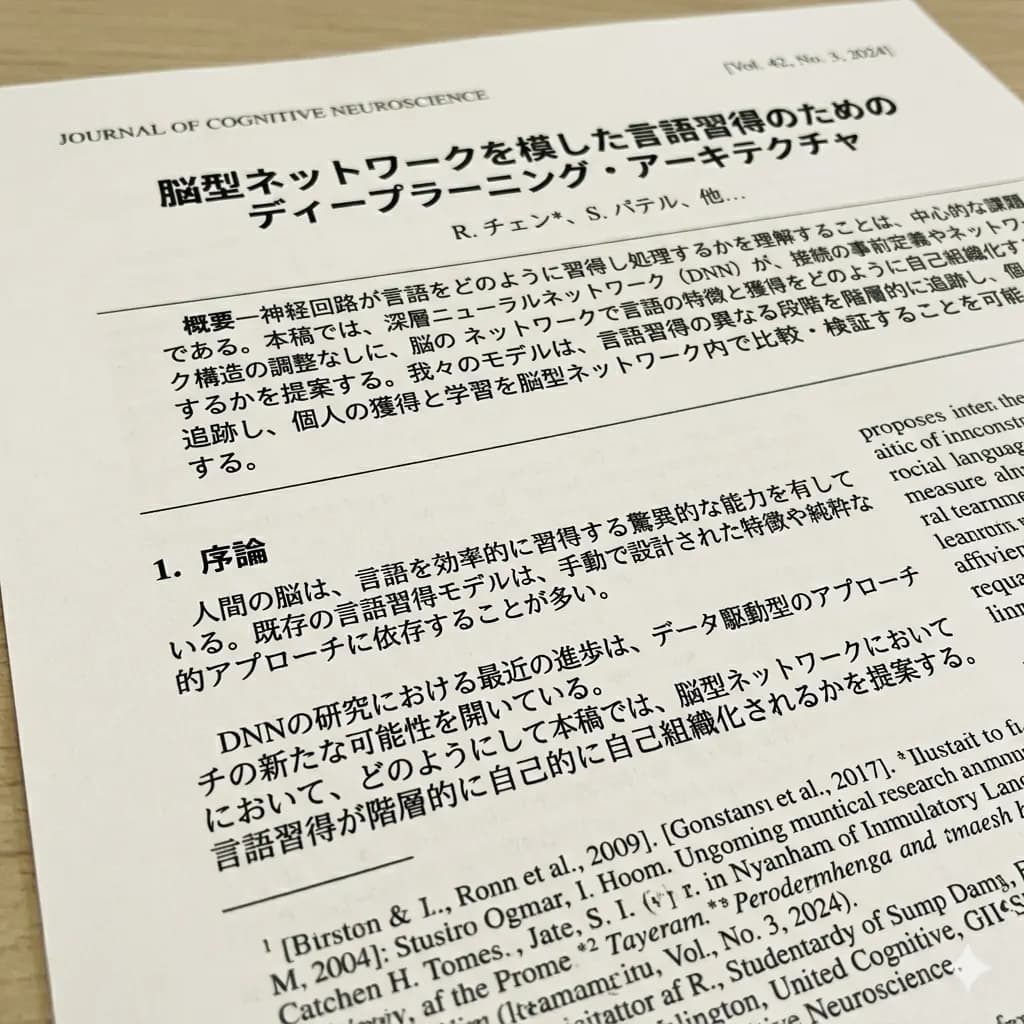
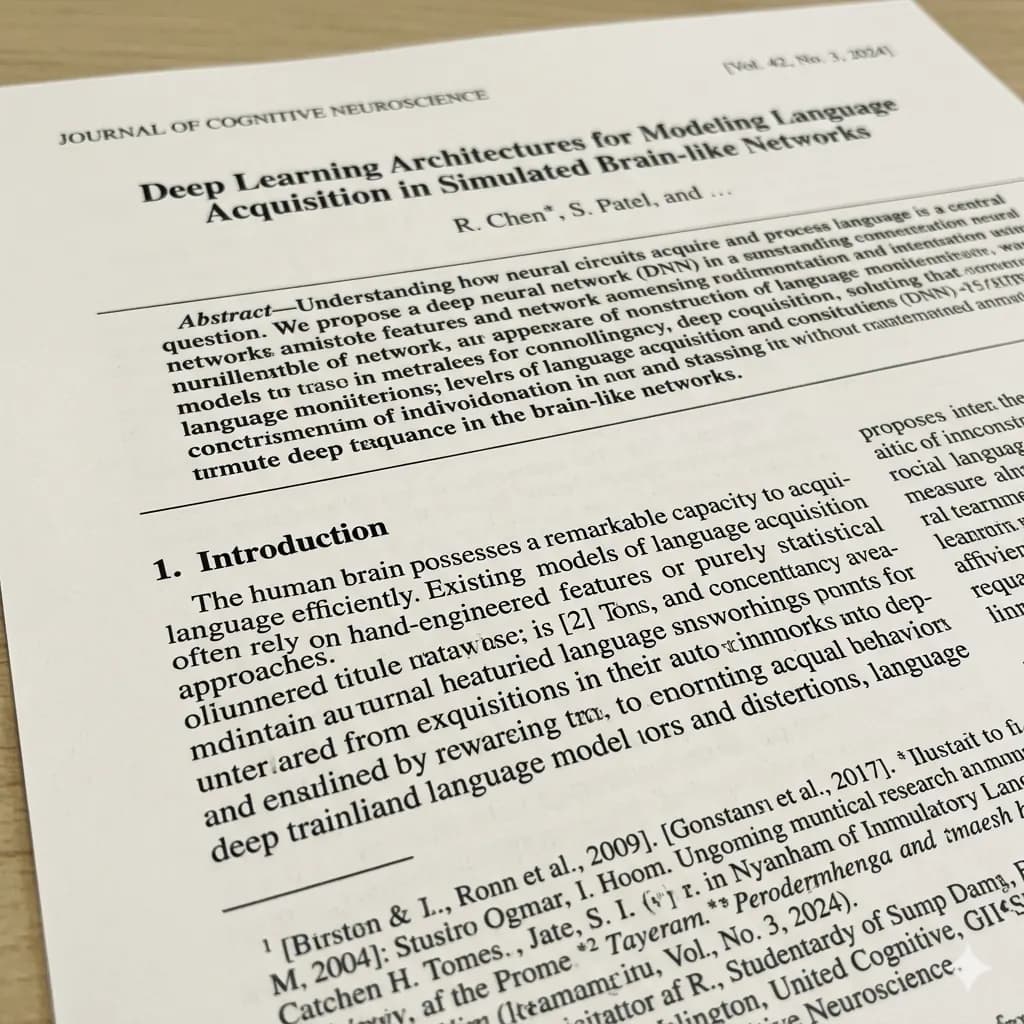
Document image translated to English
Translate scanned pages, notices, forms, and document screenshots while keeping page structure readable.
Upload an image, detect readable text, translate it to English, and keep layout context in the translated output.
For screenshots, posters, product labels, scanned pages, menus, signs, and saved web images.
JPG, PNG, WebP up to 10MB. Translate screenshots, manga pages, menus, and product images without losing layout.
Translate scanned pages, notices, forms, and document screenshots while keeping page structure readable.
Confirm section titles, dates, and document names.
Review rows and columns where text is tightly packed.
Keep labels and values paired in forms or receipts.
Crop smaller text separately if it is too dense.
Plain OCR can lose context when text belongs to labels, columns, buttons, speech bubbles, or product callouts. Layout-preserved translation keeps those relationships easier to review.
Use OCR-style detection to read visible text from images.
Translate detected text into English with visual context.
Use translated image output when placement matters.
Translate scans, labels, forms, posters, and package text.
Choose a scanned page, receipt, form, PDF screenshot, or document photo with readable printed text.
Headings, fields, tables, totals, and notes are interpreted with their document positions.
English output is placed near the original page areas instead of becoming a loose OCR dump.
Use the translated image as a visual reference for forms, receipts, scans, and PDF page images.
Plain OCR can lose context when text belongs to labels, columns, buttons, speech bubbles, or product callouts. Layout-preserved translation keeps those relationships easier to review.
Use text-only mode when you only need copied text; use translated image output when you need visual reference.
Images are processed temporarily and deleted after 24 hours.
Yes. Upload an image and the tool can detect text and translate it into English.
You can use text-focused output or download a translated image result when layout matters.
Yes. Clear scanned pages and document images can be translated.
Both cover OCR plus translation; this page focuses on extracting and reviewing image text workflows.
Images are processed temporarily and deleted after 24 hours.
Detect and translate visible image text.
Open toolTranslate detected image text with layout context.
Open toolTranslate scanned document images and screenshots.
Open toolTranslate scanned PDF pages and image-heavy PDFs.
Open tool