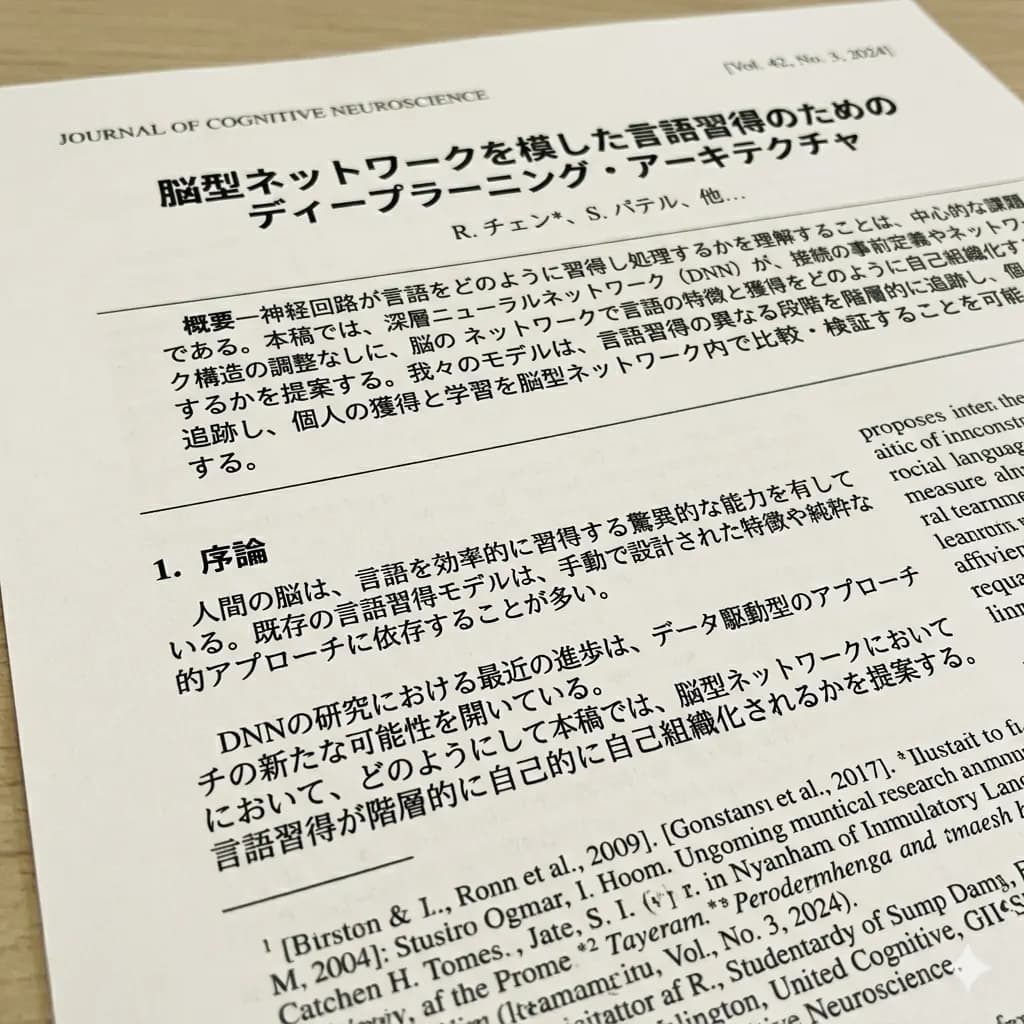
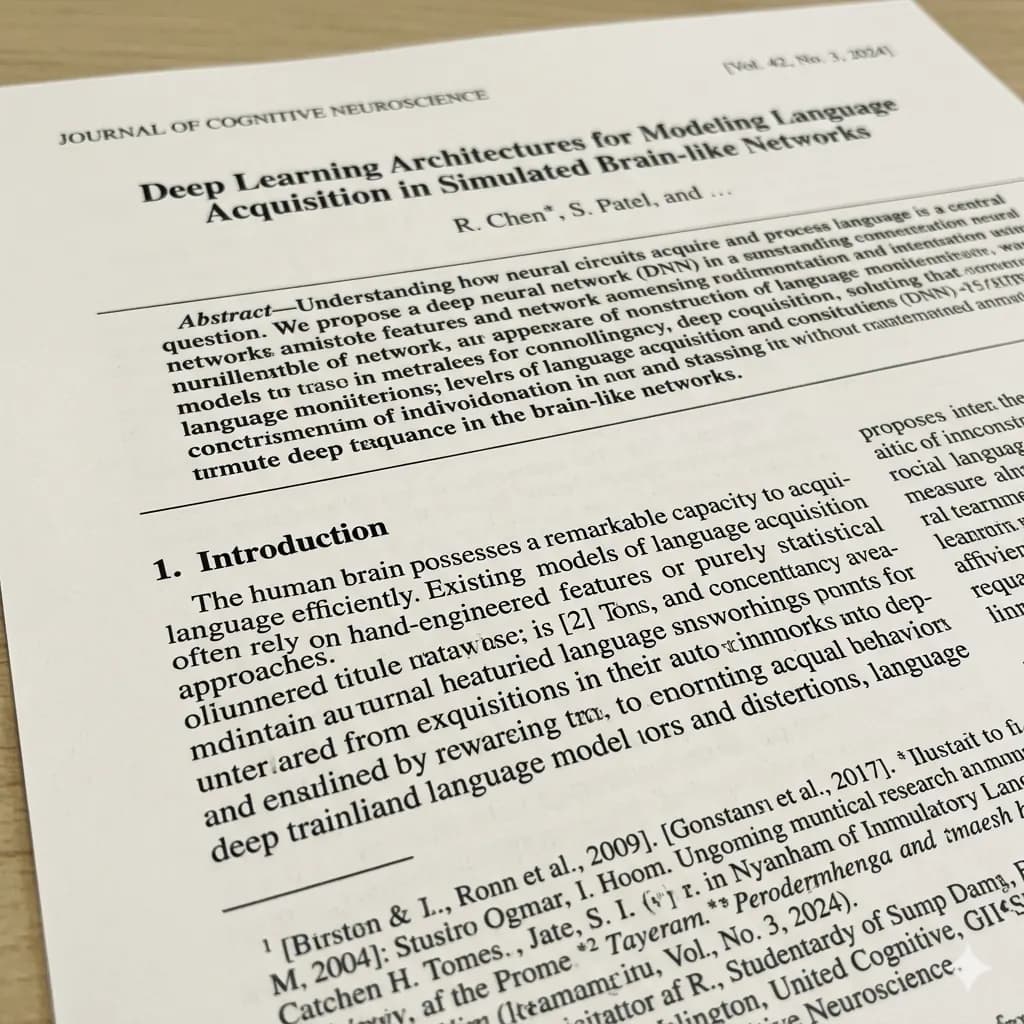
操作流程
先準備清晰圖片,裁切出重點區域,然後用 ImageFromTranslator 將How to Translate a Document Photo翻譯成易讀的英文圖片。
- 使用清晰原圖
- 裁切擁擠頁面
- 檢查名稱和數字
- 避免上傳隱私資訊
想用自己的圖片測試這個流程嗎?
圖片品質建議
文字清晰、光線穩定、保留原始截圖解析度,會更有利於識別文字並保留視覺位置。
適用場景
當How to Translate a Document Photo需要和氣泡、標籤、價格、按鈕或商品標註保持對應關係時,這種保留版式的流程會更有幫助。
需要注意的限制
過小文字、模糊、反光、重度壓縮和藝術字體都會影響識別與排版品質。長圖建議拆成較短段落處理。
相關工具
Document Image Translator
Translate photographed pages, scans, forms, receipts, certificates, and document screenshots.
PDF Image Translator
Translate scanned PDF pages and image-based PDF content.
Document Image OCR Translator
Detect and translate text inside scanned document images.
Translate Text from Image
Use OCR-style detection when copyable text matters more than the image result.
Related guides
How to Translate Instruction Manual Images
Keep procedure steps, labels, diagrams, warnings, and technical values connected across photographed or scanned manual pages.
How to Translate a Scanned PDF to English
A page-by-page workflow for image-based PDFs that do not contain selectable text.
How to Translate a Receipt Image Without Mixing the Totals
Keep receipt rows and amounts aligned so the English image remains useful for travel, expense review, or purchase understanding.
常見問題
How to Translate a Document Photo可以免費試用嗎?+
可以。登入後一次性獲贈 20 credits,標準圖片翻譯從 10 credits 起。
譯圖會保留原始版式嗎?+
在原圖足夠清晰時,工具會盡量把英文回填到原來的視覺結構中。
什麼樣的圖片效果最好?+
文字清晰、少模糊、文字區域之間有足夠間距的圖片效果最好。
用你的圖片試試看
上傳真實圖片,盡量在保留原始版式的同時得到英文譯圖。