
Quick answer
A straight, glare-free crop usually improves sign translation more than enlarging a distant or angled photo.
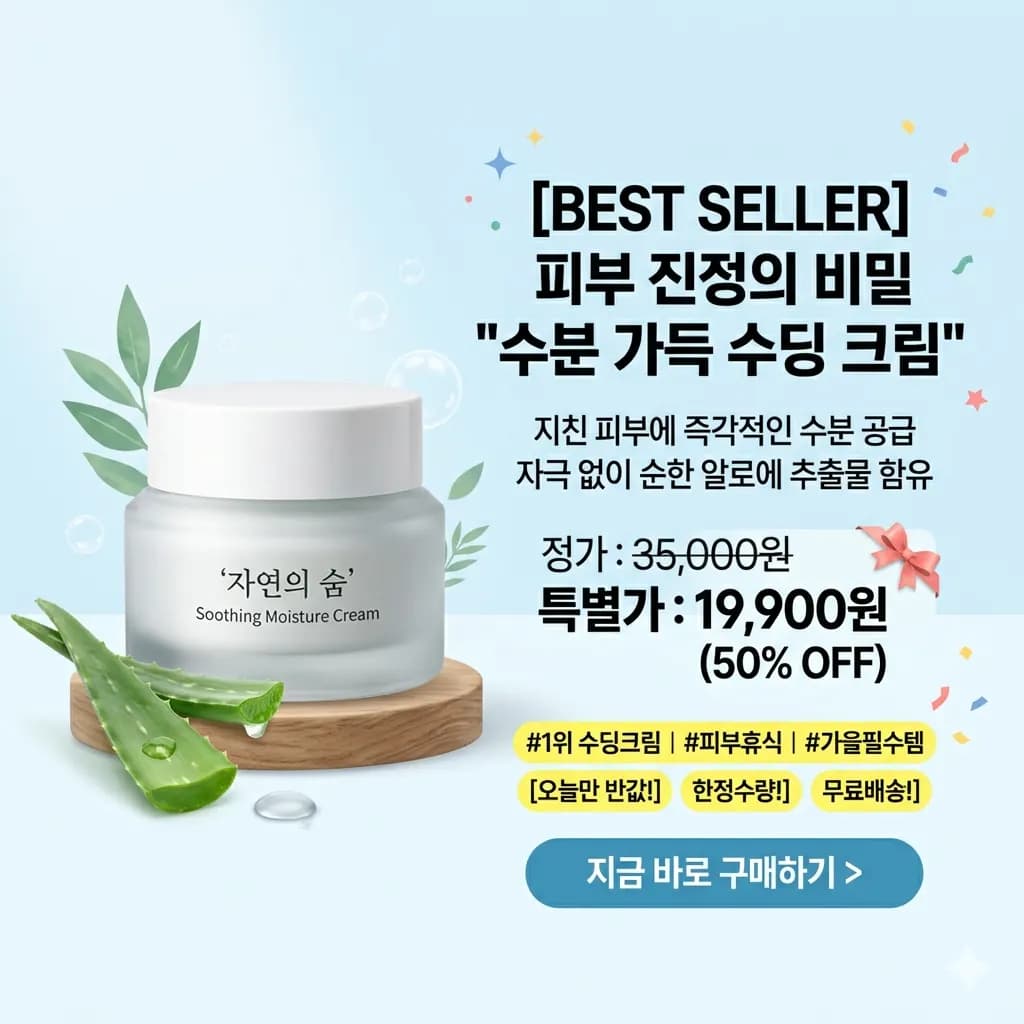
Product images combine translation with visual merchandising. Claims, dimensions, ingredients, icons, badges, and comparison columns must remain connected to the correct product feature or variant.
- Translate the full sign
- Identify unreadable regions
- Translate tighter crops
Ready to test this workflow on your own image?
Prepare the source before translation
Move closer when safe, hold the camera parallel to the sign, and take separate photos for the headline and smaller detail blocks.
Keep an untouched copy of the source beside every crop or page so the English result can always be checked against the original.
- Shoot straight and close
- Avoid glare and obstruction
- Capture detail blocks separately
Step-by-step translation workflow
Translate the full sign for visual context, then use tighter crops for schedules, prices, rules, or footnotes that remain too small.
Open Translate Product Image to English, upload the prepared source, translate it to English, and download each result only after the visual structure has been reviewed.
- Translate the full sign
- Identify unreadable regions
- Translate tighter crops
- Review arrows, dates, and place names
Quality review checklist
Review the English image beside the original. Accuracy includes text meaning, numbers, labels, and whether each translation still belongs to the correct visual region.
| Review area | What to check | Action if it is wrong |
|---|---|---|
| Direction | Text remains attached to the right arrow | Keep icons visible |
| Schedule | Dates and times match the source | Verify number formats |
| Hierarchy | Headline and conditions are not mixed | Compare font size and sections |
Limits and safety notes
Arrows, icons, color coding, dates, and location names may carry meaning that a text-only translation does not explain.
Treat the translated image as a review draft. Verify trademarks, measurements, materials, compatibility, ingredients, warnings, and marketplace claims before purchasing or publishing. Files are deleted after 24 hours.
- Steep camera angles
- Reflections
- Tiny event details
- Text hidden by objects
Related tools
Translate Product Image to English
Translate product images, listing graphics, labels, feature callouts, and size charts.
Product Label Translator
Translate package panels, ingredients, warnings, and usage notes.
Product Detail Image Translator
Translate listing graphics, specifications, and comparison panels.
Translate Chinese Image to English
Translate Chinese product images, menus, labels, and screenshots.
Related guides
How to Translate a Medicine Label Safely
A high-caution workflow for understanding visible medicine packaging without treating automated translation as medical advice.
How to Translate Chinese Product Images to English
A review workflow for Chinese ecommerce graphics, listing images, specification panels, badges, and feature callouts.
How to Translate Taobao Product Images to English
Understand Taobao listing graphics, variant cards, promotional banners, product details, and size charts without losing visual context.
FAQ
Should I crop a sign before translating it?+
Keep one full reference photo, then make tighter crops for small schedules, rules, prices, or directions that need more resolution.
Can I try this image translation workflow for free?+
Yes. Sign in to receive 20 free welcome credits once; standard image translation starts at 10 credits.
Will the English result preserve the original layout?+
The workflow is designed to render translated text back into the image while keeping it near the original visual region. Clear, well-cropped sources produce the most reviewable results.
Try it with your own image
Upload a real image and get an English result with the layout preserved where possible.