Quick answer
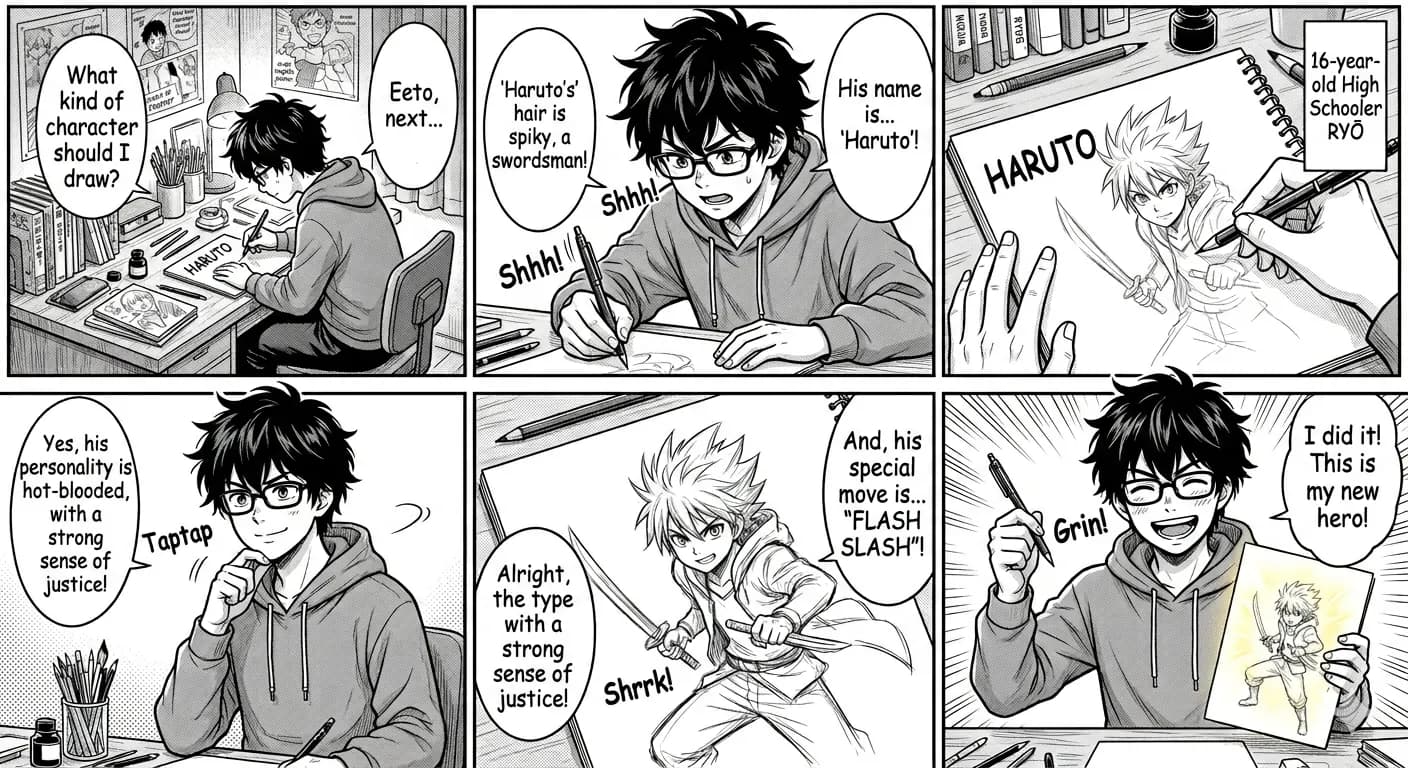
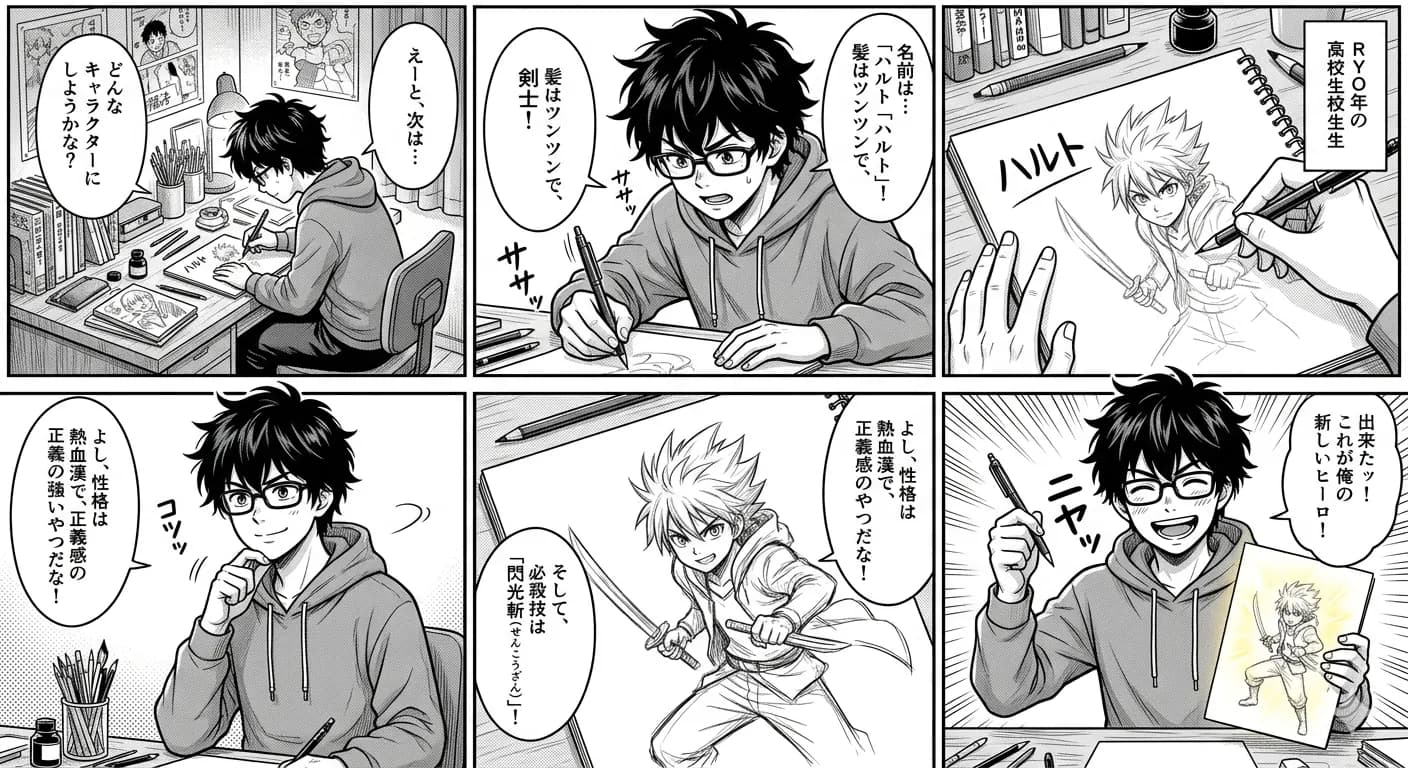
Bubble translation succeeds when each English line remains attached to the correct speaker and the reader can follow the panel order.
Comic translation depends on reading order and speaker ownership. The text may be accurate but still confusing when a line moves to the wrong bubble, a caption is detached from its panel, or a long vertical image is processed as one dense page.
- Crop one readable panel
- Translate all bubbles together
- Review speaker order
Ready to test this workflow on your own image?
Prepare the source before translation
Crop complete bubbles with their tails, nearby character faces, and enough panel border to identify reading order.
Keep an untouched copy of the source beside every crop or page so the English result can always be checked against the original.
- Keep bubble tails visible
- Include the speaking character
- Avoid cutting vertical lines
Step-by-step translation workflow
Translate one panel or a small group of related bubbles, then compare names, pronouns, and repeated terms with surrounding panels.
Open Manga Translator, upload the prepared source, translate it to English, and download each result only after the visual structure has been reviewed.
- Crop one readable panel
- Translate all bubbles together
- Review speaker order
- Check English text fit
Quality review checklist
Review the English image beside the original. Accuracy includes text meaning, numbers, labels, and whether each translation still belongs to the correct visual region.
| Review area | What to check | Action if it is wrong |
|---|---|---|
| Speaker | Every line matches the bubble tail | Compare nearby faces |
| Order | Dialogue follows the panel flow | Number bubbles if needed |
| Fit | English remains readable inside the bubble | Use a tighter panel crop |
Limits and safety notes
Small bubbles may not have enough room for longer English text, and tail direction can become unclear after aggressive cropping.
Use pages you are allowed to process, keep the source available for comparison, and review names, honorifics, sound effects, and recurring terminology manually. Uploaded and generated images are deleted after 24 hours.
- Tiny or narrow bubbles
- Overlapping bubble tails
- Interrupted dialogue
- Vertical text cut by cropping
Related tools
Manga Translator
Translate manga, webtoon, manhwa, and comic panels while keeping bubbles and reading flow visible.
Japanese Manga Translator
Translate Japanese panels, vertical text, bubbles, and captions.
Webtoon Translator
Translate long vertical comic panels in smaller reviewable sections.
Comic Translator
Translate dialogue, narration boxes, signs, and panel labels.
Related guides
How to Translate Manga Sound Effects Without Losing the Art
A practical review process for Japanese sound effects, decorative lettering, action text, and SFX that overlap characters or backgrounds.
Japanese Manga Translation Quality Checklist
A repeatable checklist for comparing a Japanese panel with its English translated image before reading, sharing, or continuing a chapter.
FAQ
Should I translate one bubble at a time?+
Usually translate the full panel so nearby bubbles provide context. Crop tighter only when the text is too small to detect.
Can I try this image translation workflow for free?+
Yes. Sign in to receive 20 free welcome credits once; standard image translation starts at 10 credits.
Will the English result preserve the original layout?+
The workflow is designed to render translated text back into the image while keeping it near the original visual region. Clear, well-cropped sources produce the most reviewable results.
Try it with your own image
Upload a real image and get an English result with the layout preserved where possible.